-
-
Thanks a lot!
-
That is some shit. Not A pts at all :(
-
Has anyone done the check?
-
Good content, as usual. Keep going, mate
-
It's hexed, but based on NCSoft one. So, yes, somehow it's official or better original
-
Why do you copy paste everything from google translator?
-
Omg, what a drama, one gypsy shared files of other one... @guytis, are you pissed off, that Toma has all GD files, but didn't share it to rotten guy like you? Ahahaha, so funny :D Do you even realize, that almost everyone who wanted, has GD and H5, all you need to get them just to make some "friends" in L2 community and just ask? Every fucking leak was shared/reshared dozens of times, but privately. No-one fucking cares about GD/H5 now, they are useless without proper extenders, good admin, PR etc. And @MasterToma is second @smeli, who wants to kick off dead horse (C1-C4), I'm sure he even never started that GD. Looks like no-one wanna play with poor argentine boy. OFFTOP: really recommend C1 IDA - open, find WinMain in function list and press F5 - you can learn a lot! I know ASP.NET only a bit, but was able to read that shitty pseudo-C.
-
Did anyone buy it? Any single person? Some feedback?
-
Does anyone have those data packs? I'll need for c2 and c3. Please, reshare or pm me. Thank you
-
Hi, how is it the project?
-
Oh those Russians... so hackers
-
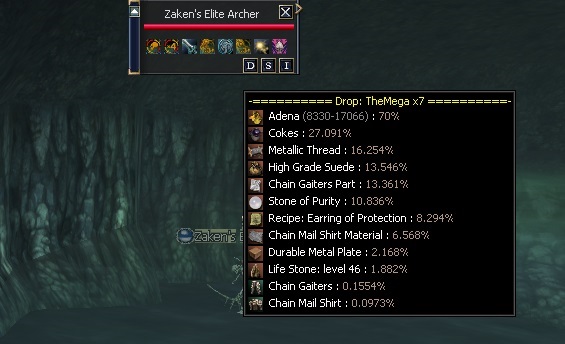
Hi, guys Do you have any ideas how to add icons or change text color for drop/spoil patch? I've seen something like this on some ru site: It's interlude client. I tried to open skillname.dat, but failed.. Wondering, how did they add those icons and colors. I tried <font color> tag, but ofc it didnt work here

-
Our community grows each day.
-
Nice auto rewards for server voting! (EW*, EA*, magic/attack potions)