Skip to content

[Request]Sig for me? :D

Featured Replies

Well,

I got too old(no shit sherlock) to make my own sigs.

I've not photoshopped sigs for months and I'd like to refresh my profile!

So, who's willing to make me a set of signature and an avatar? :D

Specs are stated below.

Theme:

It has to be something related with metal.I'd prefer some of the listed bands: Firewind (if possible, I'd love it.), Metallica, Iron Maiden, SOAD, Slipknot) Pick the band you want to and make dat fkn sig :D

Text: MasterDisaster

Sub-Text(if possible): Last Man Standin' !

Colors: I mostly prefer principal and full-of-life colors but it's up to you :)


Hmm, about an award...How would you like a Lifetime Premium account @ FringeFX? :D

i try...

  • Author

let's see ;)

nob

  • Author

so?

wrong section

  • Author

I made the rules. Die M3

tipota

  • 2 weeks later...

Well, Mix maybe dont have time for this or for some reason he can't fill the request.

So I can fill it I Will work for this today its easy xD

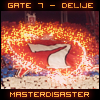
My Try:


mkzl7s.png


I hope you like it Master!

  • 2 weeks later...

well well whe have here someone lazy here hum? cmon mate, go to work ;)

  • Author

My Try:


mkzl7s.png


I hope you like it Master!

thanks dude, but i need something close to perfection. u need work :)

thanks for the effort tho ;)

@seeya. meng i'm outta this thing. would ya sig for me?

thanks dude, but i need something close to perfection. u need work :)

thanks for the effort tho ;)

@seeya. meng i'm outta this thing. would ya sig for me?


Τhanks for the feedback MD anyway im not master yet :)

  • Author

Τhanks for the feedback MD anyway im not master yet :)

good luck then..just don't stop trying and keep reading tuts ;)

gamewallpapers account

Create an account or sign in to comment

Account

Navigation

Search

Search

Configure browser push notifications

Chrome (Android)
  1. Tap the lock icon next to the address bar.
  2. Tap Permissions → Notifications.
  3. Adjust your preference.
Chrome (Desktop)
  1. Click the padlock icon in the address bar.
  2. Select Site settings.
  3. Find Notifications and adjust your preference.