


-
Good luck in this project, we miss the Aeron a lot! Cheers ♥
-
Hello! I wonder what programs do you use? java, navicat, mariadb? I tested it, and it is working without errors.
-
Any data pack already compiled for h5, and with system?
-
Hi! Thanks for the video. I was able to download a pack where I watch a video in Spanish but I have problems when starting and it won't let me start the server. - I want to try to fix the l2.ini but it turns out that I have it fine and everything is fine. The problem that does not let me log in and I am disconnected.
-
No, but I completely forgot everything, and wanted to see if someone could guide me.
-
Hi! I want to put a server back together again, but I was looking at the forum categories but I couldn't find a topic that explains what it was like to put it together, its applications, and all that. Could you help me pass a clean server, system, and a mini tutorial of what to download (for the server, and its javas) - I do not know if it is the right part to speak it, but they would help me by giving me an answer - - Greetings - (I forgot to clarify, the server that is: Hive Five)
-
-
-
YES
-
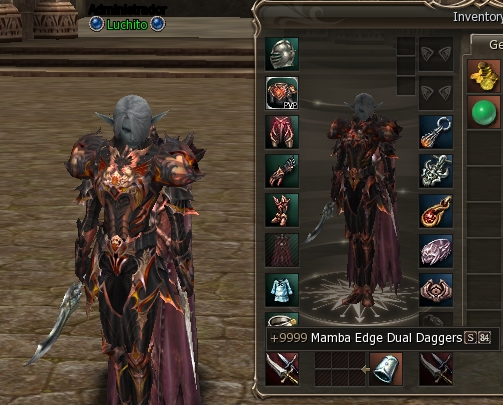
I have a problem with seeing the colors
-
Have problem super haste lvl4
-
I have a problem, I just created a server off, and I have the problem with the super haste And I throw an error in the game saying: "ERROR : THERE IS NO SUCH SKILL. <skill id="7029" levels="4" name="Super Haste"> <table name="#Tab-runSpd"> 7.5 8 6 9 </table> <table name="#Tab-mReuse"> 1 2 4 30 </table> <table name="#Tab-mAtkSpd"> 1.5 1.8 3 4 </table> <table name="#Tab-pAtkSpd"> 1.2 1.5 2 3 </table> <set name="power" val="0.0"/> <set name="target" val="TARGET_SELF"/> <set name="skillType" val="CONT"/> <set name="operateType" val="OP_TOGGLE"/> <set name="castRange" val="-1"/> <set name="effectRange" val="-1"/> <for> <effect name="Buff" time="144000" count="1" val="0"> <mul order="0x30" stat="runSpd" val="#Tab-runSpd"/> <div order="0x30" stat="mReuse" val="#Tab-mReuse"/> <mul order="0x30" stat="mAtkSpd" val="#Tab-mAtkSpd"/> <mul order="0x30" stat="pAtkSpd" val="#Tab-pAtkSpd"/> </effect> </for> </skill>
-
iLuchito changed their profile photo
-
Thanks♥
-
h5?
-
Have in H5?
