Skip to content

[C.N.C.] Spidey

Featured Replies

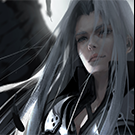
sqwswqsq.png


All opinions are accepted:$


-Zelan

I don't really like it. Do you blend it enough? Your colors are not look good. Also, on the right is very bright.

  • Author

Nic creation.;)


Keep sharing,you are talented.;)

No I am not a talent. I try only this but thanks for good words!

I don't really like it. Do you blend it enough? Your colors are not look good. Also, on the right is very bright.

Well i will check it and try something different but thanks :3


-Zelan

Mhm, it's good, but I cannot see render... You should sharpen it a little or burn more his face etc.

Mhm, it's good, but I cannot see render... You should sharpen it a little or burn more his face etc.

  • Author

Mhm, it's good, but I cannot see render... You should sharpen it a little or burn more his face etc.

What do you mean you can't see the render ?

I have add some C4Ds and change the colors. I don't think so the render is so bad or it's hard to see.

Anyway I am gonna check my effects in my next Signature :3

Thanks


-Zelan

  • Author

Mhm, it's good, but I cannot see render... You should sharpen it a little or burn more his face etc.

What do you mean you can't see the render ?

I have add some C4Ds and change the colors. I don't think so the render is so bad or it's hard to see.

Anyway I am gonna check my effects in my next Signature :3

Thanks


-Zelan

  • Author

the problem is with the canvas its bad for this render , a canvas with larget height would be better.

Maybe yes but i my skills are better with step step i think :3
  • Author

the problem is with the canvas its bad for this render , a canvas with larget height would be better.

Maybe yes but i my skills are better with step step i think :3

Create an account or sign in to comment

Account

Navigation

Search

Search

Configure browser push notifications

Chrome (Android)
  1. Tap the lock icon next to the address bar.
  2. Tap Permissions → Notifications.
  3. Adjust your preference.
Chrome (Desktop)
  1. Click the padlock icon in the address bar.
  2. Select Site settings.
  3. Find Notifications and adjust your preference.