


-
Server running smooth , nice features , no p2w perfect for Casual people solo or groups Not many cps arround lacking a bit players , but potential to become a long term server for people that dont have time to tryhard over and over again try it out yourself 🙂
-
Here we go again , season 2 gonna be even better
-
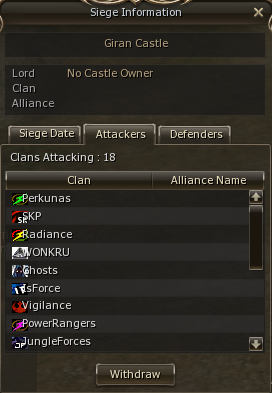
https://youtu.be/joJIc0B9FDQ?t=4519server is running in summer mode now , still alot of solo player small party's playing in summer to catch up to high lvl cp's. LONG TERM , NO MULTIBOX , NO P2W , ALMOST NO BOTS/RMT few events are running: https://mmoway.com/forum/topic/720-event-vanillas-squash-event/ https://mmoway.com/forum/topic/816-rookie-bonus-event-begin-your-journey-on-vanillaScion changed their profile photoon beyond first +16 emi appeard out of nowhere, some people already quitted , once the big streamer quit server is done for good :D not much activity arround summer time after corona , but still some action , awaiting first sieges soonall remorse does is advertise for LU4 so they get more attention , which means also more money. this is one of the most promissing l2 projects out there , for years it was very silent , but u can see progress now. I really hope those russian succeed , they rly put work into a server, into smth new and unique.up , summer but still decent activity , in winter server will go crazy , prepare nowup server growing ! no p2w ! no multi-box ! off 1.5 !some people prefer the old hardcore farm classic , then raid boss attempt or afk farm classic :) maybe 3.0 patch is more ur style :) overall server is solid , few bugs , not game breaking or economy breaking had some problems at start with ddos , survived it without downtime only short dc's will be long term server like club , hope donait stays as fair as it is. If ur looking for an old classic patch server that is not 5+ years old , this is ur best choice atmupdated levels , pm for price , only serious people thxupdated level and ranks :


Important Information
This community uses essential cookies to function properly. Non-essential cookies and third-party services are used only with your consent. Read our Privacy Policy and We have placed cookies on your device to help make this website better. You can adjust your cookie settings, otherwise we'll assume you're okay to continue..
Account
Navigation
Search
Configure browser push notifications
Chrome (Android)
- Tap the lock icon next to the address bar.
- Tap Permissions → Notifications.
- Adjust your preference.
Chrome (Desktop)
- Click the padlock icon in the address bar.
- Select Site settings.
- Find Notifications and adjust your preference.
Safari (iOS 16.4+)
- Ensure the site is installed via Add to Home Screen.
- Open Settings App → Notifications.
- Find your app name and adjust your preference.
Safari (macOS)
- Go to Safari → Preferences.
- Click the Websites tab.
- Select Notifications in the sidebar.
- Find this website and adjust your preference.
Edge (Android)
- Tap the lock icon next to the address bar.
- Tap Permissions.
- Find Notifications and adjust your preference.
Edge (Desktop)
- Click the padlock icon in the address bar.
- Click Permissions for this site.
- Find Notifications and adjust your preference.
Firefox (Android)
- Go to Settings → Site permissions.
- Tap Notifications.
- Find this site in the list and adjust your preference.
Firefox (Desktop)
- Open Firefox Settings.
- Search for Notifications.
- Find this site in the list and adjust your preference.