Skip to content

[Share]Ganondorf (animated)(Gracia Final Only)

Featured Replies

Hello

he a good share that take a lot of work ahah!

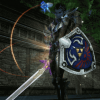
It's Ganondorf from Zelda Twilight princess!!

all info about how to install it on Ganondorf.rar

all credit go to me and i was helped by Darksimonus.

here the screen:


http://img203.imageshack.us/img203/6533/shot00006n.png

http://img96.imageshack.us/img96/9074/shot00007.png

http://img210.imageshack.us/img210/9411/shot00008gr.png

http://img96.imageshack.us/img96/6205/shot00009z.png


Download it


a thanks can be cool =)


EDIT:

for newbies in dat that didn't know and that crash your file when you try :


Open NPCGRP.DAT

Copy one line (what ever you want i take this one : )

17135	LineageMonster.mimic	LineageMonsters.mimic1_m00	2	interior_B_t.interior_B_box07	LineageEffectsTextures.cbui24									0			2	23600	23601																									1.00000000	0		1				4	ItemSound.shield_wood_3	MonSound.Hit_Wood_4	ItemSound.Shield_Wood_4	MonSound.Hit_Wood_5		1				0			1	0								LineageEffect.p_u002_a	0	50.00000000	250.00000000	70.00000000	0	0

Paste it at the finish of you NPCGRP.DAT

Modify the ID to what ever you want

(i choise 99998)

so that do like it :

99998	LineageMonster.mimic	LineageMonsters.mimic1_m00	2	interior_B_t.interior_B_box07	LineageEffectsTextures.cbui24									0			2	23600	23601																									1.00000000	0		1				4	ItemSound.shield_wood_3	MonSound.Hit_Wood_4	ItemSound.Shield_Wood_4	MonSound.Hit_Wood_5		1				0			1	0								LineageEffect.p_u002_a	0	50.00000000	250.00000000	70.00000000	0	0

now the hardest think to do

change the number of texture to 10 (or highter more is high more the file got high weight ... so :P)

i how to know where is the number of texture!!

just belowe the texture so here :

99998	CLASS	MESH	2	TEXTURE1	TEXTURE2									0			2	23600	23601																									1.00000000	0		1				4	ItemSound.shield_wood_3	MonSound.Hit_Wood_4	ItemSound.Shield_Wood_4	MonSound.Hit_Wood_5		1				0			1	0								LineageEffect.p_u002_a	0	50.00000000	250.00000000	70.00000000	0	0

you saw the "2" below the TEXTURE1 and after MESH ? that the number of texture

so now change it to 10 like it :

99998	LineageMonster.mimic	LineageMonsters.mimic1_m00	10	interior_B_t.interior_B_box07	LineageEffectsTextures.cbui24									0			2	23600	23601																									1.00000000	0		1				4	ItemSound.shield_wood_3	MonSound.Hit_Wood_4	ItemSound.Shield_Wood_4	MonSound.Hit_Wood_5		1				0			1	0								LineageEffect.p_u002_a	0	50.00000000	250.00000000	70.00000000	0	0

now all done !

Save the file (realy needed!)

now reopen the file NPCGRP.DAT

and remplace last line by mine and that done now you can save you files without prob =)

good luck if any prob send me your NPCGRP.DAT in mp i will can do it for you

(i do it only for gracia final any other cronicle files will rejected =))

Nice work. Thank you.

  • Author

Thx i do my best for it =)

nice man, the most important is do the best=)

(otherwise i prefer this custom, and not that weapons wifh another colors and names-.-)

i saw some erros in texture but still good anyway

keep working *-*

its a texture, u can use it as a mob or a npc, just need modify

It looks pretty weird O.o


Thanks for sharing any way, added to the list on "others"

  • Author

that look like zelda twilight princess didn't change any of that physique^^

Hi,


            Nice work, thank you for the share. I will try it out.  Question, what is the human female wearing for armour in last photo img69? And where could i find the Interlude full share of the whole armor set of it?


Thank you


Mech


"See you on the other side..."

  • Author

that gracia final armor ,

only on gracia final (officialy)

that the vesper only ,

if you speak about the left of the screen that Zelda from twilight princess ^^

ummm interesting work ofc thank you and ofc help for Darksimonus is sure you do a great work :)

well cool share.

haha nica work man its fantastick

  • Author

thanks you one other comming soon

for info that a boss :P

Great Job nice i will test  :)

Create an account or sign in to comment

Account

Navigation

Search

Search

Configure browser push notifications

Chrome (Android)
  1. Tap the lock icon next to the address bar.
  2. Tap Permissions → Notifications.
  3. Adjust your preference.
Chrome (Desktop)
  1. Click the padlock icon in the address bar.
  2. Select Site settings.
  3. Find Notifications and adjust your preference.