Skip to content

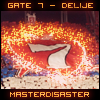
Giftie to Commodus!

Featured Replies

LoL....nice job!!

  • Author

I am thinking of making a zombie now.. hah


Wait for my try. xd


Thanks MD for the idea lol :P

Nop buddy!

LoL....nice job!!

-1 karma,kkthxbai!

Nop buddy!-1 karma,kkthxbai!

Why -1?


Edit...you dont warning me....why -1??????please tell me...if youare sure that i should take dekarma ok....i accept that...

Why -1?


Edit...you dont warning me....why -1??????please tell me...if youare sure that i should take dekarma ok....i accept that...

163 Post You Should Know The Rulles...

Anyway //On Topic

It Rocks Really Nice Work

I Can See Every Detail Nice Quality But I Dont Like The Text...I Mean What It Says...: We The Zombies

9.6/10 :D

Nop buddy!-1 karma,kkthxbai!

Come'n, MD.  :-\


Now about the signature.


It is amazing, mate!


You are great designer.

163 Post You Should Know The Rulles...

Anyway //On Topic

It Rocks Really Nice Work

I Can See Every Detail Nice Quality But I Dont Like The Text...I Mean What It Says...: We The Zombies

9.6/10 :D

I know rules but he can warning me,the others that have 300 post they just get a warning....give my karma back...

  • Author

I know rules but he can warning me,the others that have 300 post they just get a warning....give my karma back...

I could but why should I?

You have 163 posts and you should know the rules...

Well,I think that Commo hasn't seen it yet :P

I dont get this text  ???


"We The Zombies"


or maybe


"We Commodus The Zombies"


hmm


And about graphic, its look great, really.

  • Author

I dont get this text  ???


"We The Zombies"


or maybe


"We Commodus The Zombies"


hmm


And about graphic, its look great, really.

Just a subtext/effect..If u have smth better to suggest then I am all ears~

Create an account or sign in to comment

Account

Navigation

Search

Search

Configure browser push notifications

Chrome (Android)
  1. Tap the lock icon next to the address bar.
  2. Tap Permissions → Notifications.
  3. Adjust your preference.
Chrome (Desktop)
  1. Click the padlock icon in the address bar.
  2. Select Site settings.
  3. Find Notifications and adjust your preference.