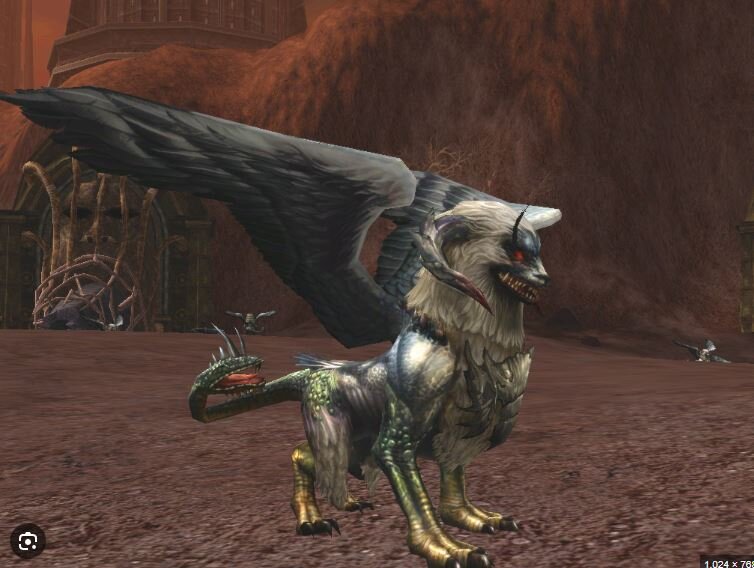
Hello, good afternoon, I have a question. This NPC is for c6, but I want it to work on C4, they say you just need to adapt npcdata.
When I manage to save a rabbit appears or gives a critical error or nothing appears. Could you help me adapt to C4? I'll leave the queue for a clean c4 mob down here so you can help me
10080 LineageMonster.orc_shaman LineageMonsters.orc_shaman_m00 1 LineageMonstersTex.orc_shaman_t00 0 1 4295 1.00000000 0 3 ItemSound.spear_2 ItemSound.sword_mid_9 ItemSound.sword_mid_3 4 MonSound.Hit_Bone_4 MonSound.Hit_normal_3 MonSound.Hit_Bone_8 MonSound.Hit_Wet_4 3 MonSound.orc_shaman_dmg_1 MonSound.orc_shaman_dmg_2 MonSound.orc_shaman_dmg_3 0 0 0 0 LineageEffect.p_u002_a 0 50.00000000 250.00000000 70.00000000 0 0
Inside the animation is the file
LineageMonsters_Chimera.ukx
within the system there is the file
LM_Chimera.u
Link Download mob : https://www.mediafire.com/file/v2it2pm8j2yyctb/Chimera.7z/file (it is adapted for interlude, I need it to work on c4)
Ways I've tried and it didn't work
10080 LineageMonster.orc_shaman LineageMonsters_Chimera_m00 1 LineageMonsters_Chimera_t00 0 1 4295 1.00000000 0 3 ItemSound.spear_2 ItemSound.sword_mid_9 ItemSound.sword_mid_3 4 MonSound.Hit_Bone_4 MonSound.Hit_normal_3 MonSound.Hit_Bone_8 MonSound.Hit_Wet_4 3 MonSound.orc_shaman_dmg_1 MonSound.orc_shaman_dmg_2 MonSound.orc_shaman_dmg_3 0 0 0 0 LineageEffect.p_u002_a 0 50.00000000 250.00000000 70.00000000 0 0
10080 LineageMonster.orc_shaman LineageMonsters_Chimera.ukx_m00 1 LineageMonsters_Chimera.ukx_t00 0 1 4295 1.00000000 0 3 ItemSound.spear_2 ItemSound.sword_mid_9 ItemSound.sword_mid_3 4 MonSound.Hit_Bone_4 MonSound.Hit_normal_3 MonSound.Hit_Bone_8 MonSound.Hit_Wet_4 3 MonSound.orc_shaman_dmg_1 MonSound.orc_shaman_dmg_2 MonSound.orc_shaman_dmg_3 0 0 0 0 LineageEffect.p_u002_a 0 50.00000000 250.00000000 70.00000000 0 0
10080 LineageMonster.orc_shaman LineageMonsters_Chimera.ukx 1 LineageMonsters_Chimera.ukx 0 1 4295 1.00000000 0 3 ItemSound.spear_2 ItemSound.sword_mid_9 ItemSound.sword_mid_3 4 MonSound.Hit_Bone_4 MonSound.Hit_normal_3 MonSound.Hit_Bone_8 MonSound.Hit_Wet_4 3 MonSound.orc_shaman_dmg_1 MonSound.orc_shaman_dmg_2 MonSound.orc_shaman_dmg_3 0 0 0 0 LineageEffect.p_u002_a 0 50.00000000 250.00000000 70.00000000 0 0