-
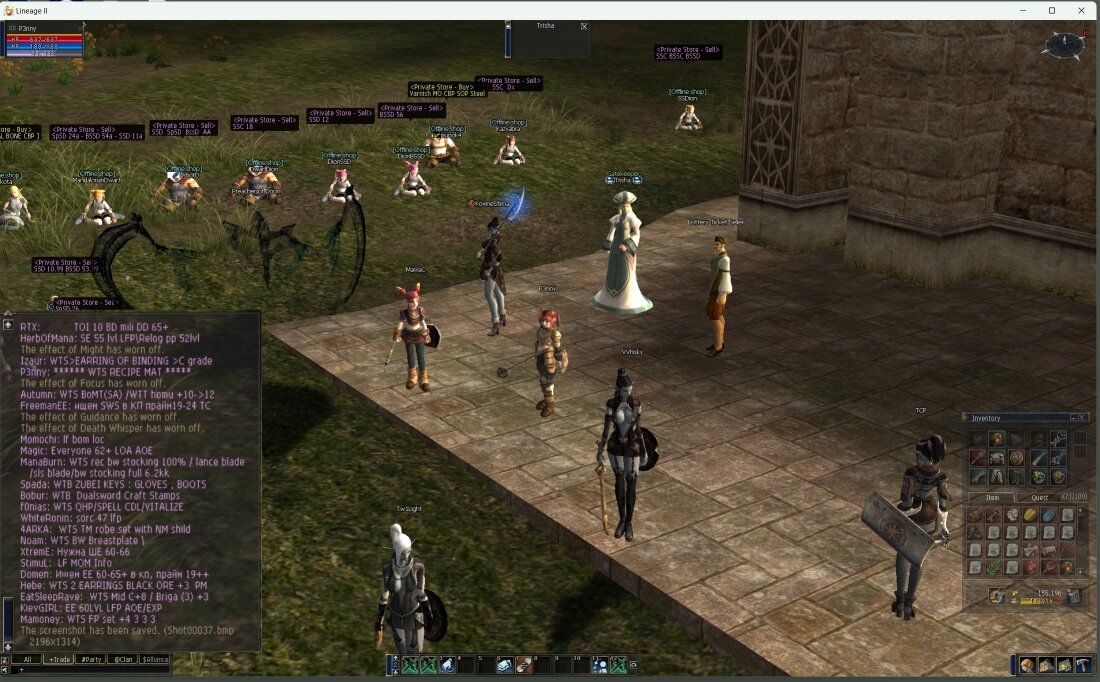
Hi all , I'am a c# developer and i make a program to zoom the chat. I'm using it for a few days(windows 11) and it works well. This is useful for those who use 2K and 4K monitors and play in a window, fullscreen is not supported How does the program work? The program copies the Chat area and zooms it and then overlays it to the Lineage2 window Change the color violet of the private chat in a more readable color What to do? ----------------- - Unzip the Zip into a folder - Open Lineage2 in windows mode - Launch l2ZoomChat.exe - Go back to L2 and you will see the Zoomed chat.. P.S Need NET Framework 4.7.2 installed I hope it is useful to someone https://file.io/Z2D3qi65tZXchttps://file.io/Z2D3qi65tZXc Good game! Gabriel